








































A data warehouse migration is more than moving tables from one platform to another. It can affect reporting, analytics, applications, data pipelines, and the teams that depend on them every day.
For organizations considering migration in 2026, the goal should not simply be to adopt a newer platform. The goal is to create a data environment that performs better, scales with business needs, supports modern analytics and AI, and remains manageable over time. A structured migration plan helps reduce disruption while giving teams a clear path from the existing environment to the target platform.
When Should You Migrate a Data Warehouse?
Not every performance issue requires a migration. Before making the decision, look for problems that cannot be resolved through optimization alone.
Performance
- Queries consistently performing poorly despite tuning
- Limited support for real-time analytics or AI workloads
Cost and access
- Storage and compute costs growing faster than business value
- Difficulty enabling self-service analytics
Platform risk
- An aging platform creating architectural limitations
- Vendor end-of-support or end-of-life announcements
A migration should solve a clearly defined business or technical problem rather than simply follow a technology trend.
Choosing the Right Target Platform
The right destination depends on your existing architecture, workloads, cloud strategy, team expertise, and analytical requirements.
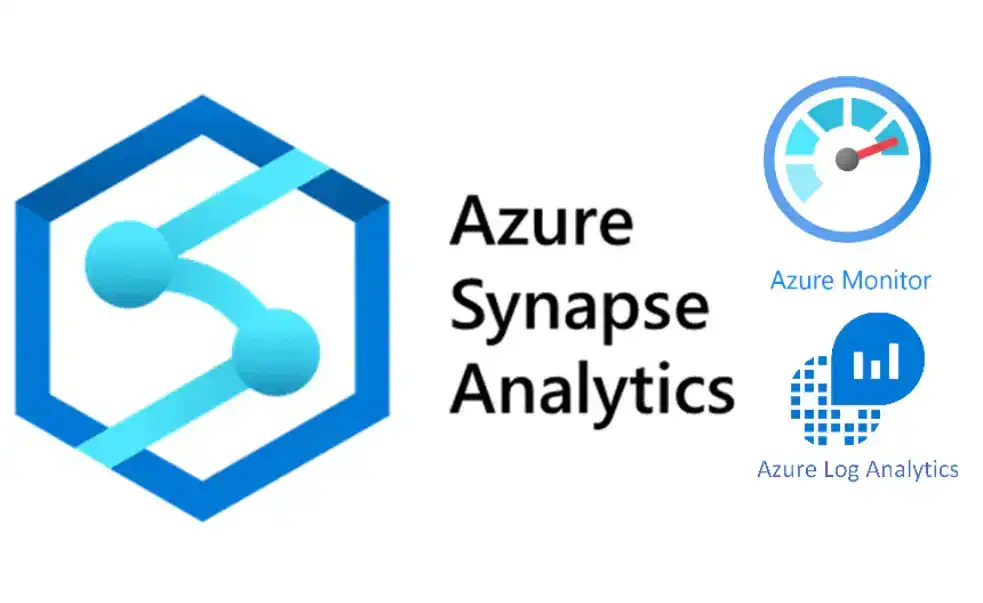
Organizations already within the Microsoft ecosystem may evaluate Azure Synapse Analytics or Microsoft Fabric.
Synapse · FabricBusinesses with broader multi-cloud requirements may consider platforms such as Snowflake or BigQuery.
Snowflake · BigQueryTest complex queries, transformation jobs, data volumes, integrations, and expected usage before making a final decision.
Test first6 Steps for a Successful Data Warehouse Migration
- 1
Assess Your Current Environment
Start by understanding exactly what exists. Inventory schemas, tables, data volumes, dependencies, pipelines, reports, applications, stored procedures, and performance requirements. Look for objects that appear unused but may still support a critical process.
This assessment also creates a risk register and gives the migration team a realistic view of the work involved.
- 2
Define Scope and Success Metrics
Not everything needs to move. Identify what will be migrated, what can be retired, and what needs to be redesigned. Establish measurable success criteria such as:
- Query performance
- Data freshness
- Migration completion
- Cost targets
- Report availability
- User adoption
Clear metrics make it easier to determine whether the migration has actually delivered value.
- 3
Map Data and Transformation Logic
Map the existing warehouse to the target environment. This includes tables, columns, data types, relationships, naming conventions, business rules, stored procedures, and transformation logic.
Strong data engineering practices are especially important here because poorly documented mappings can result in errors that are difficult to detect later.
- 4
Migrate in Phases
Avoid moving everything at once. Begin with lower-risk workloads such as historical datasets, lightly used reporting tables, or non-production environments. Use these early phases to test migration tools, validate processes, and identify issues before moving business-critical workloads.
Each phase should have defined entry and exit criteria, with validation completed before the next phase begins.
- 5
Validate Before Cutover
Validation should happen throughout the migration, not only at the end. Compare row counts, data types, transformation results, business logic, report outputs, and query performance between the source and target environments. Running both environments in parallel before cutover can help teams identify discrepancies and give business users an opportunity to validate the results.
Business sign-off is particularly important for teams that depend heavily on the warehouse for reporting and operational decisions.
- 6
Optimize and Decommission
Migration does not end when the new warehouse goes live. Post-migration work may include query optimization, partitioning or clustering, cost monitoring, right-sizing, documentation, and performance tuning.
Once the new environment is stable, establish a clear plan for decommissioning the legacy warehouse. Keeping both platforms running indefinitely can increase costs and create confusion about which environment is authoritative.
Common Data Warehouse Migration Challenges
Three issues can create unnecessary problems during migration.
Undocumented dependencies can appear after migration work has already started.
Moving everything simultaneously increases the impact of errors and makes validation harder.
Analysts, data scientists, and business users need to understand what is changing and how it affects their workflows.
A phased migration combined with clear communication and continuous validation can significantly reduce these risks.
Tools That Can Support Migration
Migration tools can automate parts of schema conversion, data movement, and validation. Depending on the target environment, teams may use:
Tools can reduce manual effort, but they do not replace engineering judgment. Workload assessment, transformation design, validation, and business sign-off still require careful planning.
What Happens After Migration?
The real measure of a successful migration is what the organization can do afterward. A modernized warehouse should provide a stronger foundation for analytics, reporting, AI, and growing data workloads while improving performance, cost management, and operational flexibility.
The migration should be treated as a business transformation project, not simply a technology replacement.
Build a Stronger Data Foundation
A successful data warehouse migration starts with understanding the existing environment and ends with a platform that supports the organization’s future requirements.
Assessment, clear scope, careful data mapping, phased execution, continuous validation, and post-migration optimization provide a practical path to modernization.
Explore Data Analytics ServicesFAQ
What is data warehouse migration?
Data warehouse migration is the process of moving data, structures, transformations, and related workloads from an existing warehouse to a new data platform.
When should a business migrate its data warehouse?
Common triggers include persistent performance problems, rising infrastructure costs, platform limitations, new analytics or AI requirements, and vendor end-of-support announcements.
Should a data warehouse migration happen all at once?
Usually, a phased approach is safer. Starting with lower-risk workloads allows teams to validate the process before migrating business-critical data.
How do you validate a data warehouse migration?
Validation can include comparing row counts, data types, transformation logic, report outputs, query performance, data freshness, and business results between the source and target environments.
What happens after a data warehouse migration?
Teams typically optimize performance, monitor costs, document the new architecture, address remaining issues, and eventually decommission the legacy platform.